
110 configurable reports.
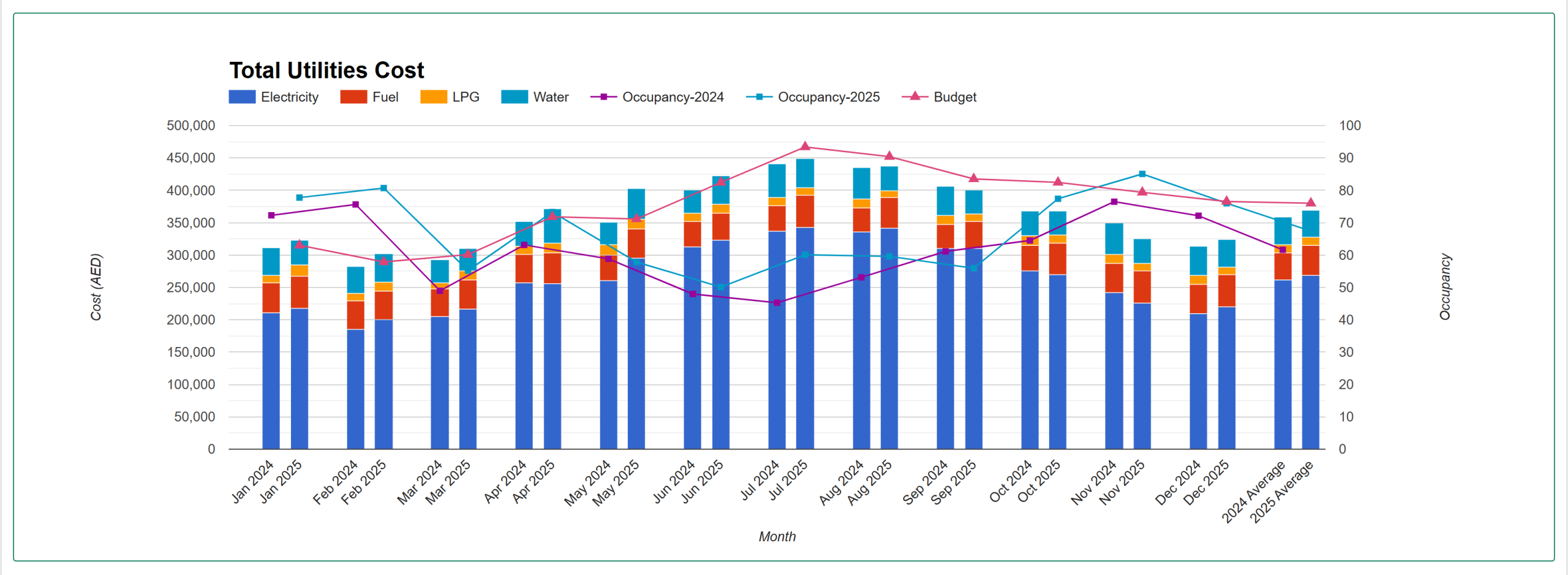
Hotel total utilities
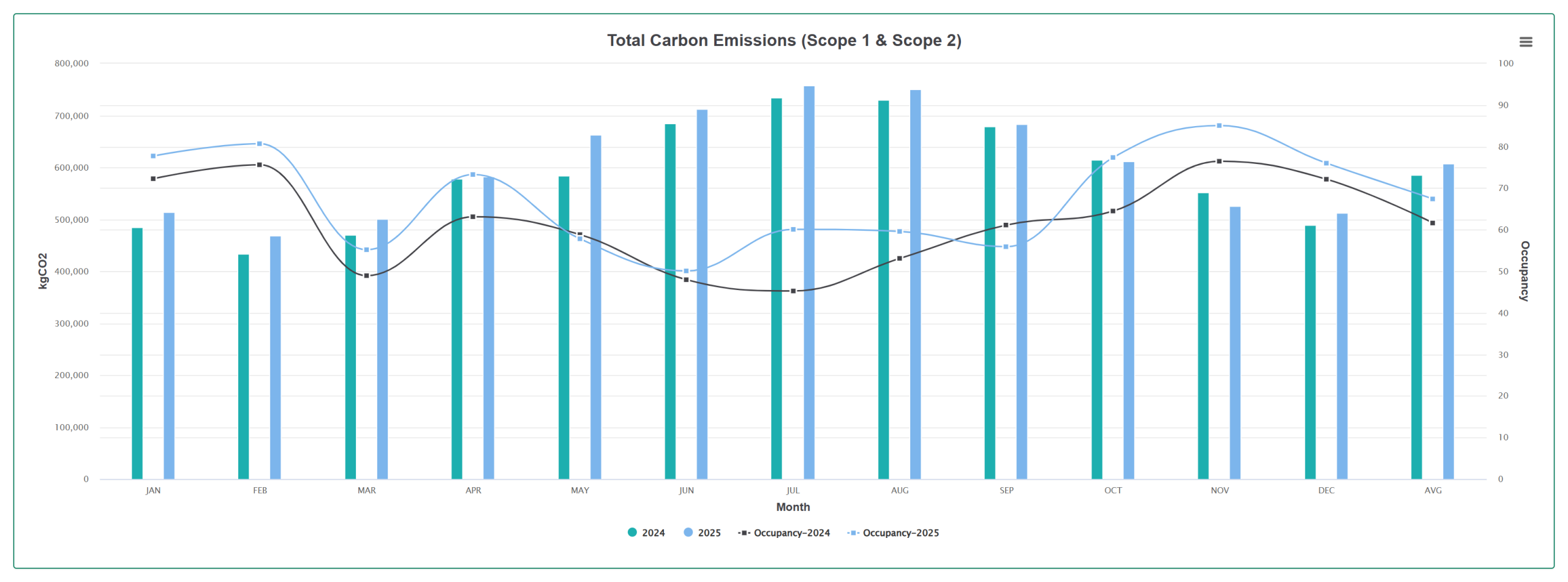
A hotel's complete utilities picture with configurable charts and formatted output, including sustainability indicators such as carbon footprint and waste segregation.
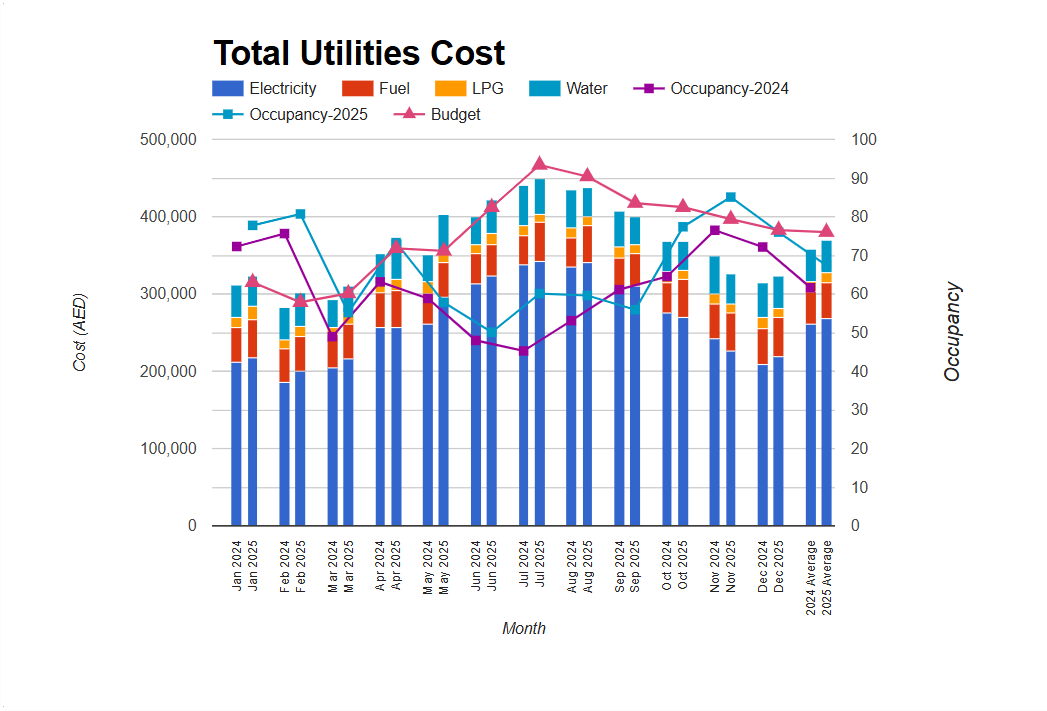
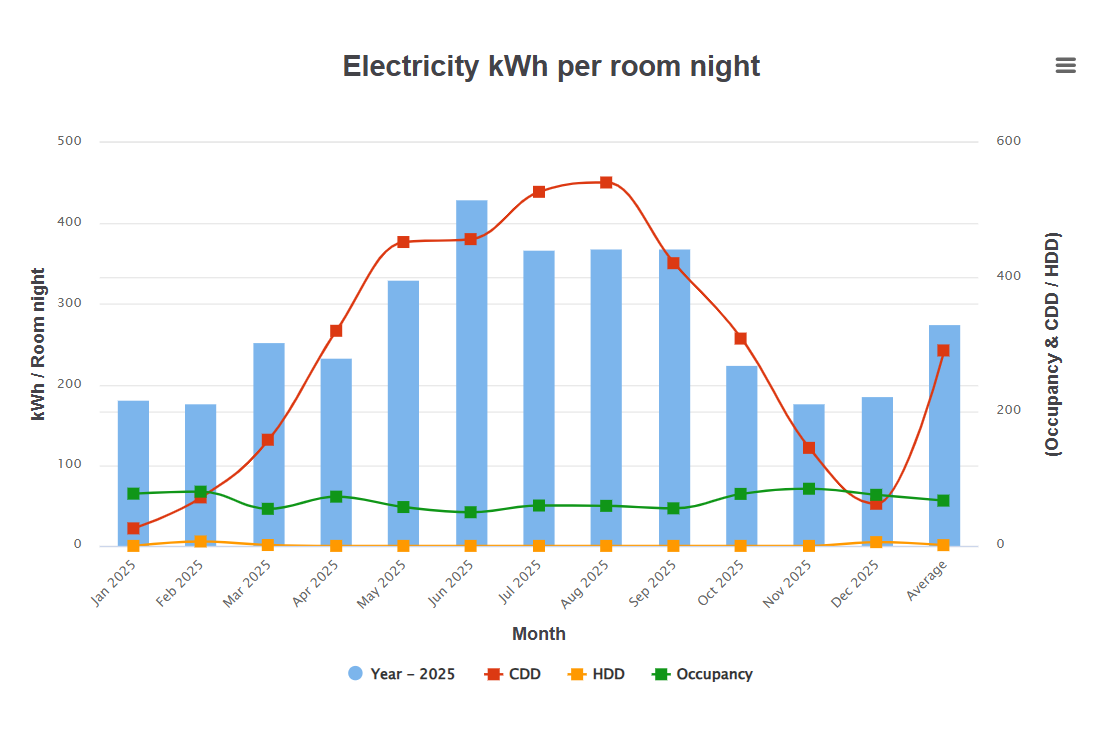
Hotel custom reports
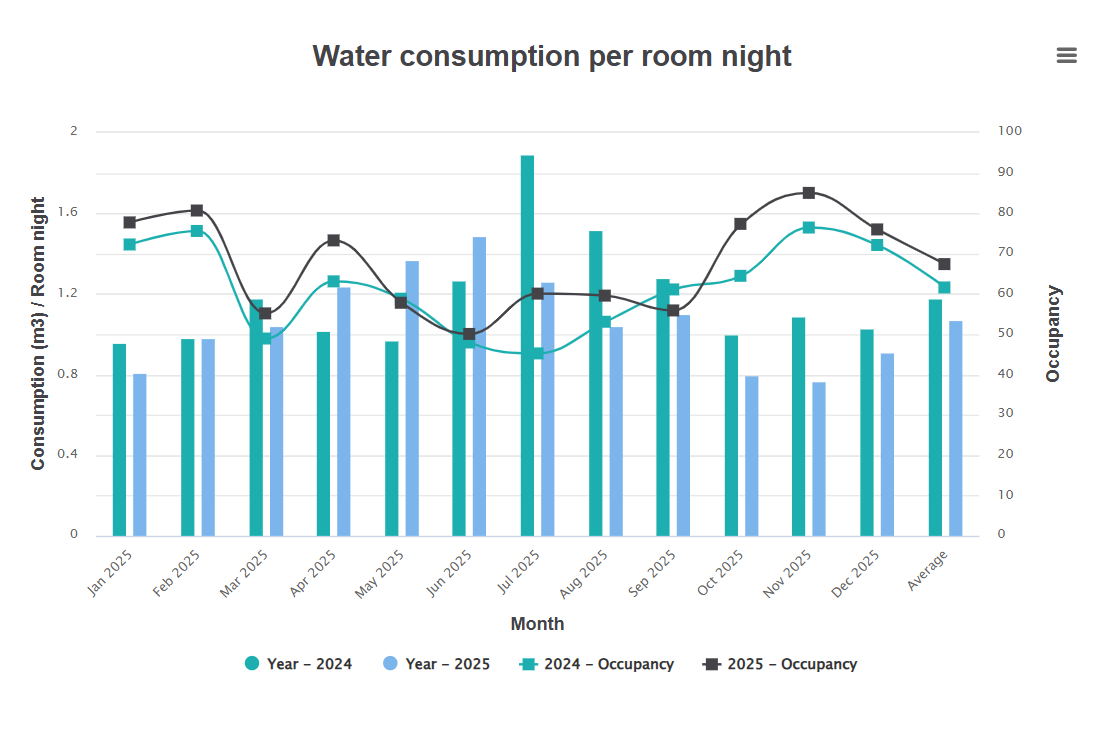
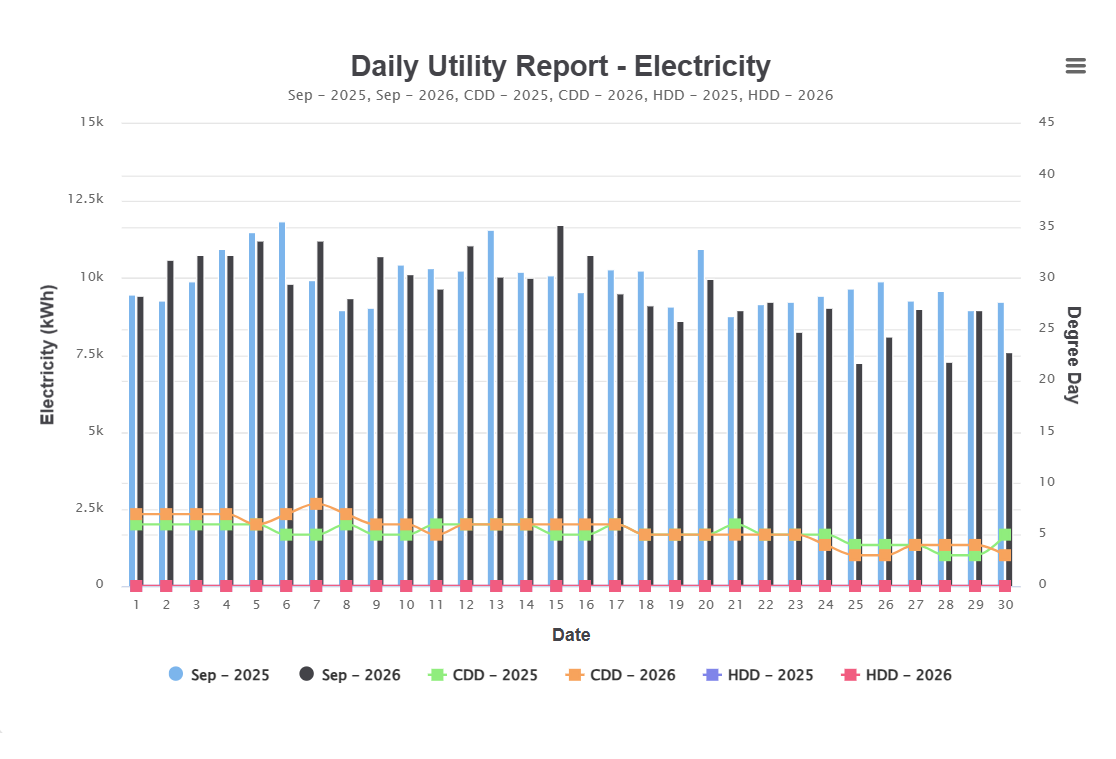
Drill into any single utility — electricity, water, LPG and the rest — per guest night, room night or built-up area, or against budget, with prior-year and HDD/CDD comparison.
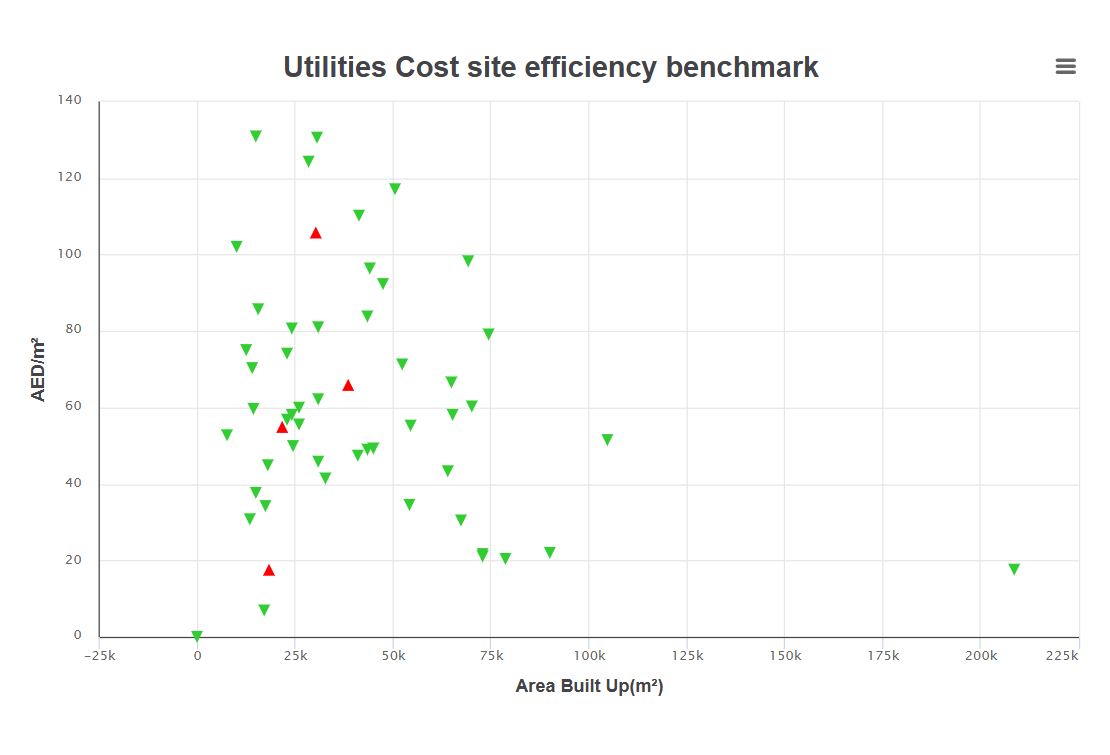
Group-wide reporting
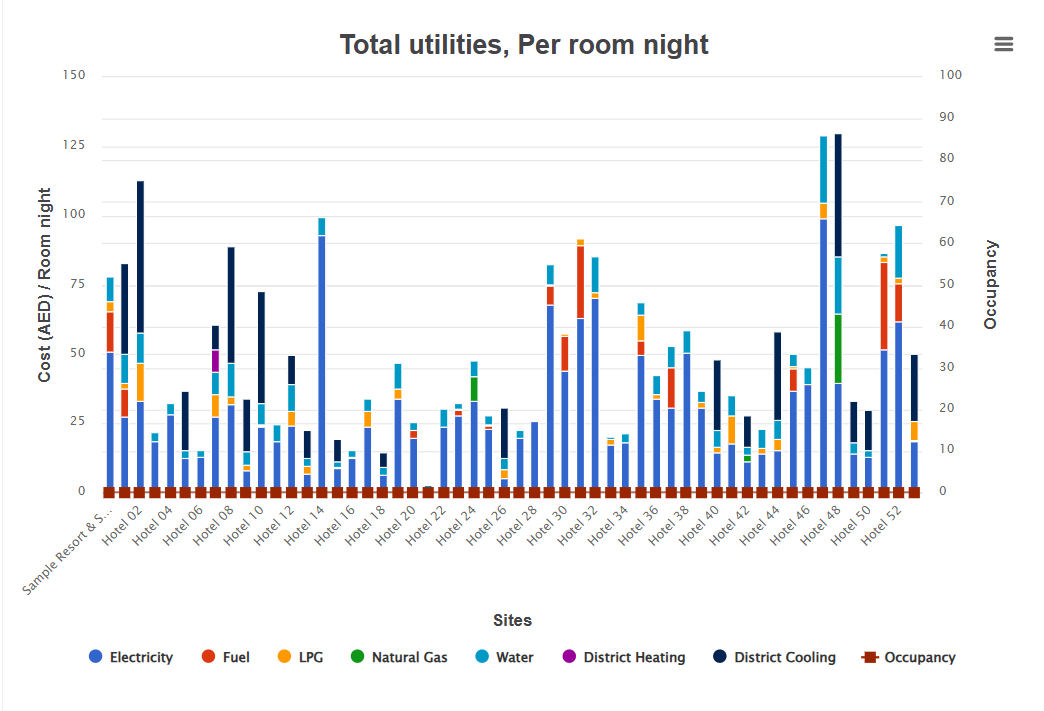
Full comparative analysis of any hotels on any utility parameter, segregated by region or by type of hotel — including efficiency benchmarking across the portfolio.
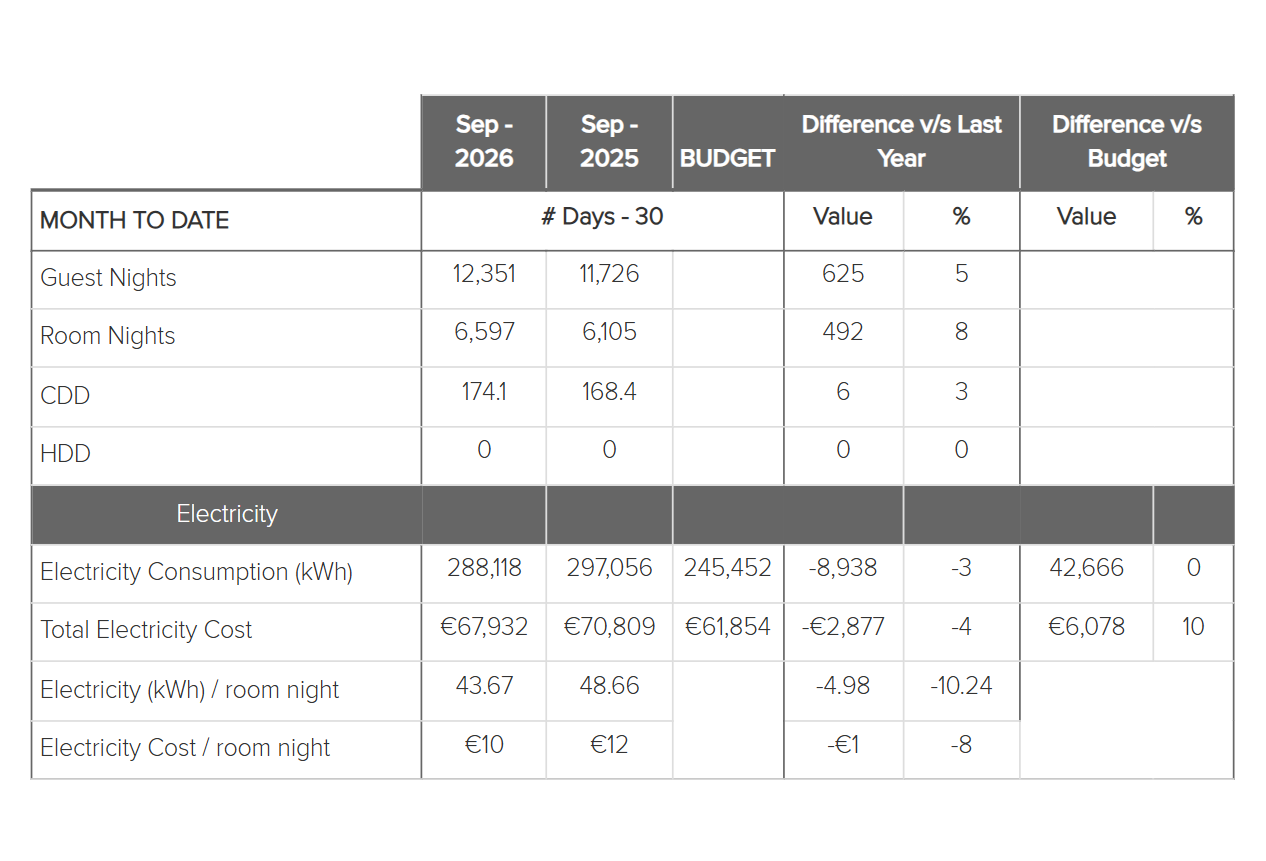
Month to date
Daily and accumulated figures for every key utility and KPI, compared with the same period last year and with the equivalent number of days of budget — correlated with climate and occupancy.
A closer look.
Nobody should have to chase fourteen properties for their numbers.
HEP watches for the properties that haven't reported and pushes the reports out on schedule, so the group cycle doesn't depend on someone remembering to send an email.
Missing upload alerts
Properties that have not uploaded their utilities data or supporting documents are flagged automatically, and the responsible users are notified — before the reporting cycle closes.
10 and 20-day trend reports
Sent mid-month so a property can see where the month is heading while there is still time to act on it.
Full monthly report and year-to-date
A complete detailed report dispatched automatically each month alongside the cumulative YTD position.
Configurable recipients
Subscriptions set per property and per role, so property, cluster and group each receive the level of detail they need.
Dispatch by role.
An indicative subscription pattern. Every recipient list is configured per property.
| Role | Typically receives | Frequency |
|---|---|---|
| Engineering Director / Chief Engineer | Month-to-date utilities, submeter trends, missing upload alerts | Daily and mid-month |
| General manager | Monthly property report, cost against budget, performance against target | Monthly |
| Finance | Utility cost, cost versus budget YTD, 10 and 20-day trends | Mid-month and monthly |
| Sustainability | Carbon, waste, intensity and target progress | Monthly and YTD |
| Group / ownership | Group comparative reports, benchmarking, portfolio ranking | Monthly and YTD |
About reporting
How many reports are there?
110 distinct views and exports — 10+ covering a hotel’s total utilities, 70+ custom reports drilling into individual utilities, 15+ group-wide comparative reports, and the daily month-to-date views on top. All are configurable, and month-to-date views are available daily on top of them.
What kinds of alerts does HEP send?
HEP alerts on missing data — properties that have not uploaded their utilities or documents are flagged and the responsible users notified. Alongside that it dispatches scheduled reporting: 10 and 20-day trend reports and the full monthly report with year to date.
Can reports be compared against budget?
Yes. Custom reports can be run against budget, and month-to-date views compare against the equivalent number of days of the budget as well as the same period last year.
See these reports on your own data.
Send us one property's utility history and we will run the report library against it.
Request a demo